Photos that make the grade report trustworthy
A better image set means fewer limitations, stronger confidence, and a clearer read on whether the card is worth submitting.
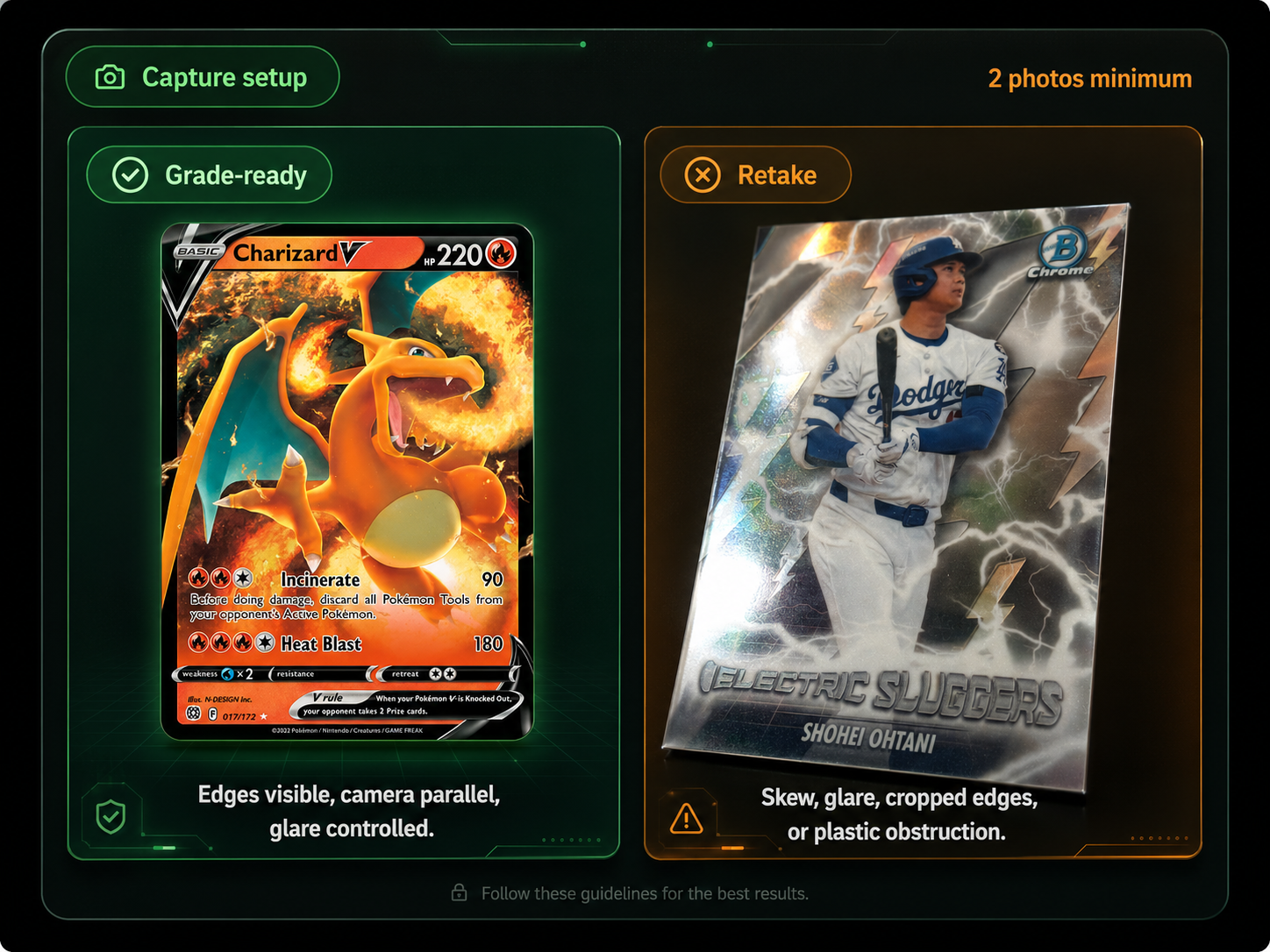
The app is looking for visible evidence, not a beautiful photo.
The strongest submissions are boring and consistent: card flat, borders visible, light controlled, and both sides uploaded. That gives the grader a fair look at the Big Four condition areas.
Soft side light
Use indirect window light or a diffused lamp so foil, chrome, and glossy stock do not flare.
Full border visible
Leave a small margin around every edge so centering, whitening, and corner shape can be inspected.
Camera parallel
Keep the phone flat over the card. Angled photos distort centering and edge geometry.
No plastic glare
Remove sleeves or top-loaders when safe. Plastic often hides scratches and creates false glare.
Quick retake triggers
Retake before scanning if any condition area is hidden. A beautiful but angled photo usually creates a weaker report.
Upload photosSkewed card
Centering cannot be trusted when the card is tilted.
Cropped edge
Missing borders block edge and corner analysis.
Hot glare
Surface scratches and print lines become uncertain.